In the realm of artificial intelligence, implementing AI solutions can streamline operations and enhance productivity across various sectors. One of the key aspects of integrating AI into your organization is the ability to effectively manage AI assets, particularly through the addition of new MCP servers via AI Gateway’s catalog intake feature. This innovative approach not only simplifies the setup process but also fosters centralized governance for all external AI connections, ensuring that your organization operates efficiently within the AI landscape.
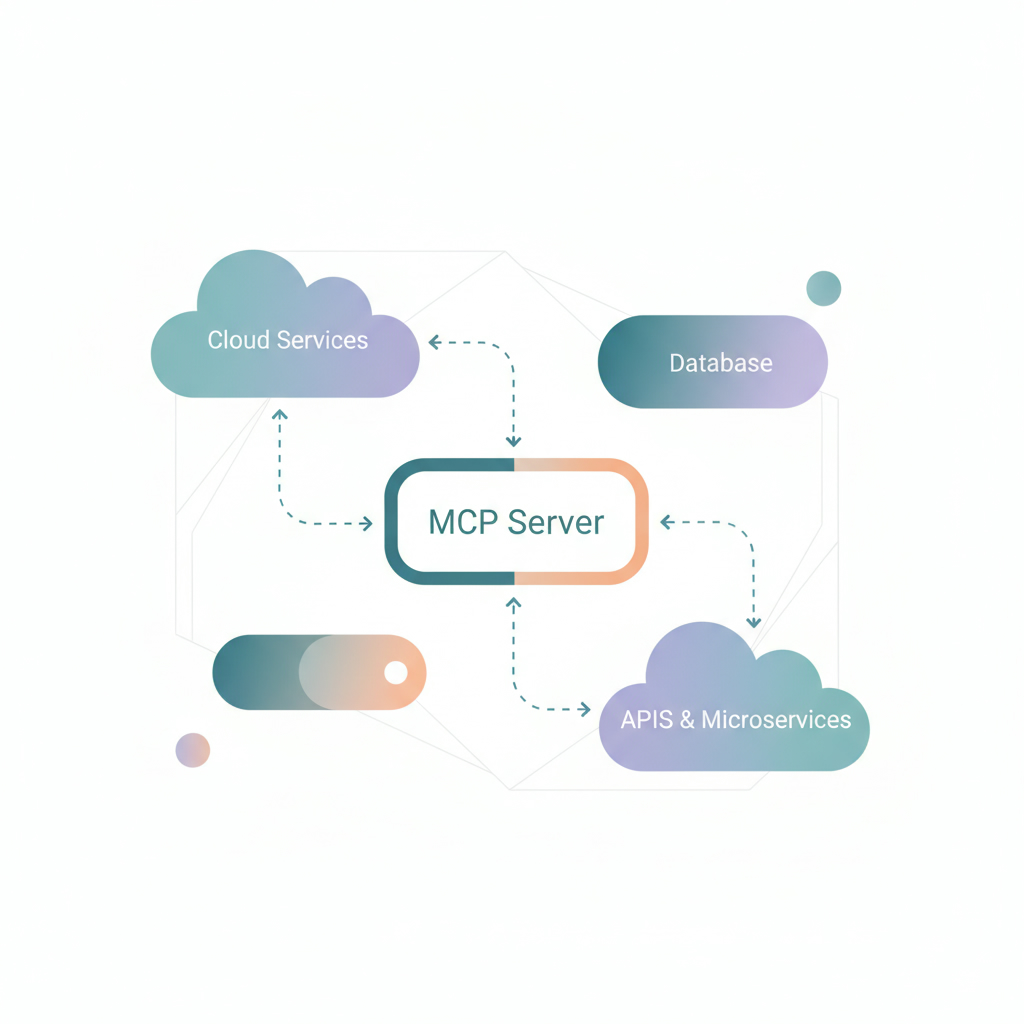
Understanding MCP Servers and AI Governance
MCP servers play a crucial role in the governance of AI assets. By treating these servers as core components of your AI infrastructure, organizations can maintain a comprehensive registry that encompasses all external AI connections. This centralized governance model ensures that every AI system, model, and dataset is subject to a rigorous life cycle process, which includes assessment, approval, and deployment. Experts agree that a well-structured governance framework is essential for the successful implementation of AI solutions.
The Benefits of Using AI Gateway’s Catalog Intake
AI Gateway’s catalog intake feature drastically reduces manual configuration time when adding new MCP servers. It allows product owners to input server details quickly, either manually or through a curated library of pre-vetted MCP server configurations. This frictionless setup experience not only saves time but enhances the accuracy of the configurations, allowing for seamless integration into existing workflows.
When a product owner adds a new MCP server, they can utilize the community catalog to bring in specific tools like Linear, a project management tool. This process involves selecting the tool from the catalog, choosing the appropriate transport type, and confirming the setup. The catalog automatically fills in necessary details such as the server name and URL, making it effortless for teams to set up new connections.
Steps to Register a New MCP Server Using AI Gateway
1. Access AI Control Tower: Begin in the AI control tower under the AI asset inventory.
2. Initiate Server Addition: Click on the ‘Add MCP Server’ button to start the registration process.
3. Complete the Wizard: Follow the two-step wizard, entering server details and setting up the connection.
4. Utilize the Catalog: For efficiency, select from the anthropic community catalog to import configurations automatically.
5. Finalize Setup: Confirm the server details and proceed with the connection setup, utilizing features like dynamic client registration if supported.
This streamlined process ensures that AI stewards have all pertinent information at their disposal for evaluation, further reinforcing the governance framework that oversees AI implementations.
Ensuring Compliance and Approval
Once a new MCP server is registered, it enters a governance queue where it awaits approval from an AI steward. This step is critical, as no server will go live without passing through this governance gate. This ensures that all AI systems are compliant with organizational policies, thus mitigating risks associated with AI deployments. According to research from McKinsey, proper governance can significantly enhance the effectiveness and safety of AI initiatives.
Conclusion: The Future of AI Implementation
Implementing AI solutions through effective governance and streamlined processes like those offered by AI Gateway’s catalog intake is essential for organizations looking to leverage artificial intelligence. By adopting such frameworks, you can ensure a smooth integration of AI assets while maintaining compliance and operational efficiency. For more information on AI services and how to implement artificial intelligence successfully in your organization, consider engaging with an AI agency that specializes in these solutions.
Call to Action: Ready to implement AI in your organization? Explore our offerings at Implement Artificial Intelligence and connect with an AI expert today.